
SOLUTIONS / MOBILE

Mobile and Web App Ecosystems Running on One Shared Backend

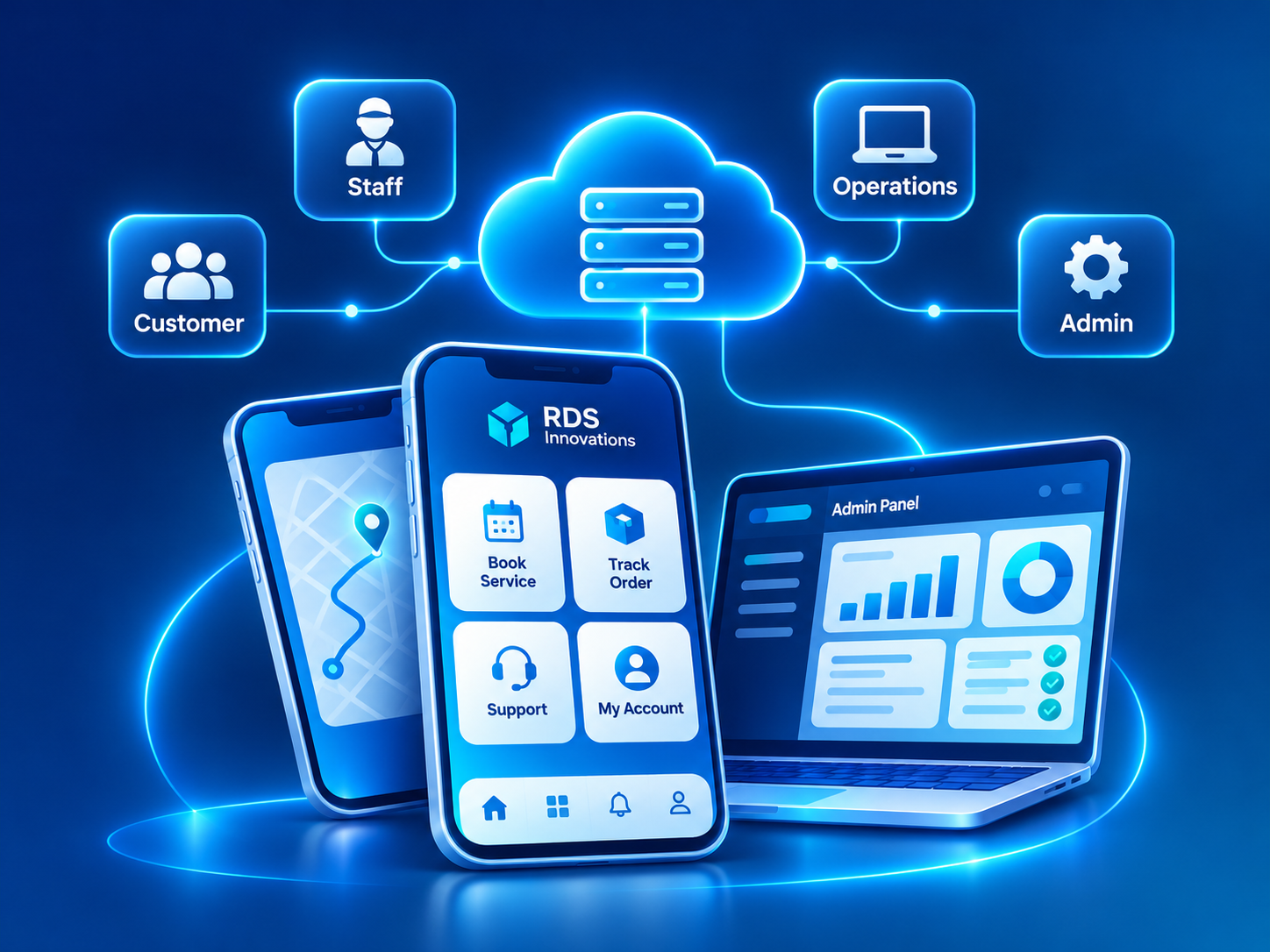
An app ecosystem connects everyone involved in a service: the customer who books or orders, the staff member who delivers it, and the office team that coordinates it. RDS Innovations builds these as one product, with mobile apps and a web admin panel sharing a single backend, so every person sees the same status at the same time.

Mobile & Web App Ecosystems system overview
THE PROBLEM

What goes wrong without it

Businesses that serve customers on the move often end up with disconnected pieces: a customer app built by one vendor, a delivery or technician app from another, and an admin panel that is really a spreadsheet. Each piece stores its own data. Staff copy information between them, and customers see statuses that are hours out of date.

The disconnect shows in ordinary moments. A customer books a service in the app, but the technician hears about it on a phone call. A field executive collects a payment, but the office cannot see it until evening. A manager wants to know how many jobs are open today and has to ask three people.

Building each app separately also multiplies the effort. Business rules such as pricing, availability and cancellation policies are written several times and slowly drift apart. Every change needs updates in several places, and bugs appear wherever the copies disagree.

THE PROPOSED SYSTEM

How the solution works

An app ecosystem is planned as one product with several front doors. The customer app lets people browse, book or order, pay and track progress. The staff or field app lets employees receive assignments, update job status, capture photos, signatures and payments, and keep working where the network is weak. The web admin panel lets office teams manage users, catalogs, schedules, assignments and reports.

All three connect to a single backend through one API. The backend holds the business rules, the data and the user accounts. When a customer books, the booking appears in the admin panel and can be assigned to a field user, whose app shows it straight away. The customer sees each status change, and the office sees the whole picture as it happens.

Mobile apps are typically built cross-platform with Flutter, so one codebase serves both Android and iOS, while the admin panel is a web application. This keeps the experience consistent and makes changes faster, because a rule changed in the backend applies to every app at once.

KEY CAPABILITIES

What the system can include.

01

Customer app

Browsing, booking or ordering, payments, live status tracking, order history, ratings and push notifications.

02

Staff and field app

Assigned jobs or deliveries, address and route details, status updates, photo and signature capture, and on-site payment collection.

03

Offline-tolerant field work

Field users keep recording updates where the network is weak, and the data syncs when the connection returns, designed around your real working conditions.

04

Web admin panel

Office teams manage catalogs, pricing, schedules, assignments, users and customer queries from a browser.

05

Shared API and business rules

One backend enforces pricing, availability, permissions and workflow rules for every app.

06

Notifications across channels

Push notifications in the apps, plus SMS, email or WhatsApp messages for key events such as confirmations and arrivals.

07

Location and check-in

Job-site check-in, delivery location capture and live tracking where relevant and where users have given consent.

08

Release management

Planned app store releases, version checks and backend changes rolled out without breaking older app versions still in use.

INTENDED USERS

Who uses it day to day.

Customers

Book or order, pay, track progress and rate the service from their phone.

Field staff, technicians and delivery partners

See their assigned work for the day, update status on the spot and capture proof of completion.

Dispatchers and coordinators

Assign and reassign jobs, monitor progress and respond when something goes off plan.

Office and operations teams

Maintain catalogs, prices, schedules and user accounts, and handle customer queries with full job history.

Managers

Review completion, delays and customer feedback across teams and locations.

Integrations, implementation and benefits

INTEGRATIONS

  • Payment gateways such as Razorpay or Stripe for in-app and on-site payments
  • Map and location services for addresses, routes and distance
  • Firebase for push notifications and app analytics
  • SMS/OTP providers for phone-number sign-in
  • WhatsApp Business API for booking and delivery updates
  • Existing ERP, CRM or inventory systems through REST APIs
  • Google Analytics 4 for usage tracking on the web panel and marketing site

IMPLEMENTATION CONSIDERATIONS

  • Journey mapping: we follow one transaction from the customer's first tap to job completion and payment, noting who acts at each step and on which device.
  • API and data design: the backend structure and API are defined first, because every app depends on them.
  • Design for each audience: customer screens prioritize clarity and trust, while field screens prioritize speed, large touch targets and minimal typing.
  • Phased build: the backend and admin panel usually come first, followed by the field app and the customer app, or in whatever order your operations need.
  • Field testing: staff apps are tested in real working conditions, including weak network areas and a range of phone models.
  • Store submission and support: we prepare Play Store and App Store listings and respond to review feedback. Store fees are billed separately. A first ecosystem release typically takes a few months, depending on scope.

OPERATIONAL BENEFITS

  • Customers, field staff and office teams see the same status for every job or order.
  • Information captured in the field reaches the office straight away.
  • Business rules are maintained once and apply everywhere.
  • Dispatchers can assign and reassign work with a clear view of who is doing what.
  • Changes ship faster because the apps share one backend.
  • A new app later, such as a partner or vendor app, builds on the existing API instead of starting over.
FAQ

Questions about app ecosystems.

Do we need separate Android and iOS apps?

Usually not. A cross-platform framework such as Flutter lets one codebase run on both. Separate native apps are only worth considering when a feature depends heavily on platform-specific capabilities.

Which app should we build first?

It depends on where the pain is. If customers already reach you through other channels, the staff app and admin panel often deliver value first. If customer self-service is the main goal, the customer app may come earlier. The backend comes first either way.

Can the field app work without internet?

It can be designed to record updates offline and sync later, within limits. We agree which actions must work offline, such as status updates and photo capture, and which need a connection, such as confirming an online payment.

Can the apps connect to our existing software?

Yes, if your current software offers an API or a reliable data export. The shared backend can read from and write to it, so the apps work with your existing records.

What ongoing work do the apps need?

Apps need updates for new Android and iOS versions, security patches, app store policy changes and bug fixes, alongside new features. We recommend planning a maintenance arrangement from the start.

RELATED
ServiceMobile App Development

Flutter apps for Android and iOS from one codebase, built for customers and field teams, with notifications, offline handling and store release support.

Explore
ServiceWeb Application Development

Logged-in web applications such as customer portals, vendor portals, dashboards and internal tools, built with secure roles and a dependable database.

Explore
ServiceAPI Integration

Reliable connections between the software you already use, so data moves between payments, accounting, CRM, messaging and marketplaces without re-typing.

Explore
ServiceUI/UX Design

Research-led UX and clear interface design in Figma for new products and redesigns, from user flows and prototypes to design systems and handoff.

Explore
IndustryLogistics & Transportation

Booking, dispatch, fleet, driver, trip tracking, proof of delivery, billing and customer tracking systems for transporters and logistics operators.

Explore
IndustryHealthcare

Appointment, registration, queue, reminder, report delivery and roster systems for clinics, diagnostic centers, small hospitals and wellness practices.

Explore
IndustryHospitality & Travel

Direct booking, channel sync, guest messaging, housekeeping and itinerary systems for hotels, homestays, restaurants, tour operators and travel agencies.

Explore
IndustryRetail & E-commerce

Catalog, online store, marketplace, inventory, order, returns and loyalty systems for D2C brands, multi-store retailers and distributors.

Explore
Software guideBooking and Appointment Software

How booking software lets customers pick a time, confirms and reminds them automatically, and helps reduce no-shows and scheduling clashes.

Explore
Software guideInventory and Warehouse Management Software

How inventory and warehouse software keeps stock counts, locations and movements accurate, from purchase order to dispatch.

Explore
Software guideProject Management Software

How project management software organizes tasks, owners and deadlines, and when a workflow-specific system serves a team better than a generic tool.

Explore
NEXT STEP

Have a business problem to solve?

Describe the process, the people involved and the tools you use today. We will propose a system and a phased plan.

Chat with us