SOLUTIONS / OPERATIONS

Business Management Systems That Connect Sales, Operations and Finance

A business management system replaces the patchwork of spreadsheets, notebooks and single-purpose apps that most growing companies rely on. RDS Innovations builds CRM, ERP and MIS modules on one shared database, shaped around how your business moves from enquiry to order, delivery and payment.

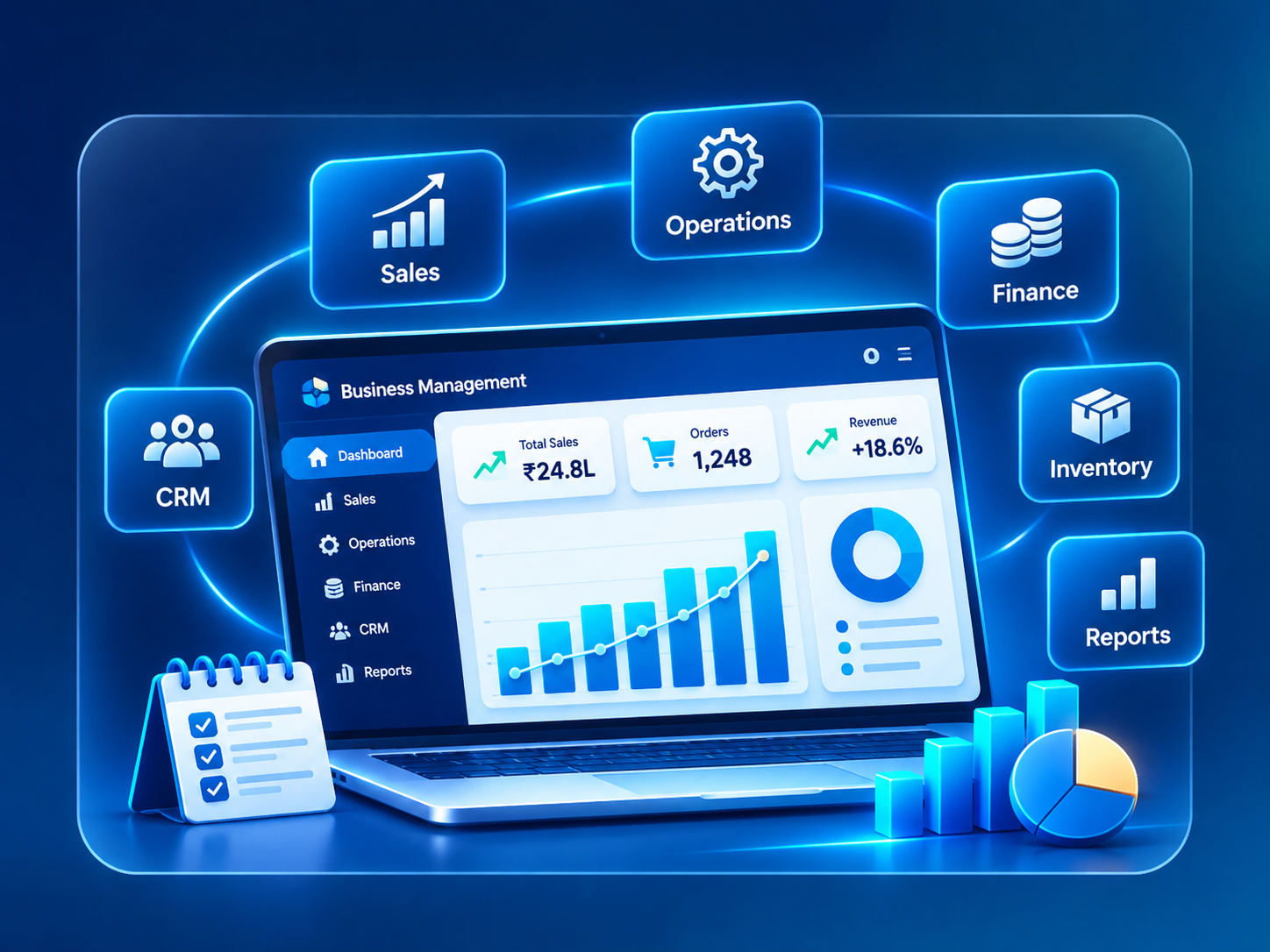
Business Management Systems system overview
THE PROBLEM

What goes wrong without it

As a business grows, each department finds its own tool. Sales keeps leads in a spreadsheet or a basic CRM. The store tracks stock in another sheet. Accounts works in accounting software. HR keeps attendance on paper or in a separate app. Each tool works on its own, but none of them talk to each other.

The cost shows up as daily friction. An order is confirmed by sales, but the warehouse hears about it on a phone call. The person promising the next delivery does not know the customer has an overdue payment. The same customer is typed into three systems with three different spellings. At month end, someone spends days combining sheets into a management report that is already out of date.

Owners lose a reliable view of the business. They cannot easily see which orders are pending, who owes money, which products are running low or which branch is under pressure. Decisions depend on phone calls and memory, and the business relies heavily on a few people who know where everything is kept.

THE PROPOSED SYSTEM

How the solution works

A business management system brings these functions into one application with one database. Customers, products, orders, invoices, stock movements, employees and tasks are stored once and referenced everywhere. When sales confirms an order, operations sees it in their queue, stock is reserved, and accounts can raise the invoice from the same record.

The system is made of modules that match how your business works. A CRM module manages leads, contacts, quotations and follow-ups. ERP modules handle purchasing, inventory, production or service delivery, billing and collections. HR modules can cover attendance, leave and expense claims. An MIS layer turns the activity in every module into management reports and daily summaries for owners and department heads.

We do not start by building every module. We map the core flow of your business, often from enquiry to order to delivery to payment, and build the modules on that path first. Other modules follow in phases. Where you already use software that works well, such as your accounting package, the new system can connect to it instead of replacing it.

KEY CAPABILITIES

What the system can include.

01

Customer and lead management

Contacts, companies, enquiries, quotations and follow-up history in one place, linked to every order and invoice for that customer.

02

Order-to-cash flow

Quotation, sales order, dispatch or service completion, invoice and payment tracked as stages of a single connected record.

03

Inventory and purchasing

Stock by item and location, reorder levels, purchase orders, goods received notes and supplier records.

04

Approvals and controls

Discount approvals, purchase limits and credit checks routed to the right manager, with a full history of each decision.

05

HR and attendance modules

Attendance, leave requests, expense claims and employee records where needed, linked to roles and branches.

06

Access by role, branch and department

Each user sees and edits only what their role allows, with branch-level separation for multi-location businesses.

07

MIS reports

Daily, weekly and monthly views of sales, collections, stock, pending work and team activity, with spreadsheet export.

08

Document generation

Quotations, invoices, delivery notes and purchase orders produced from branded templates and shared by email or WhatsApp.

INTENDED USERS

Who uses it day to day.

Owners and directors

See orders, collections, stock and team activity across the business without waiting for compiled reports.

Sales executives and managers

Manage enquiries, quotations and customer history, and check stock and payment status before making commitments.

Store, warehouse and operations staff

Receive confirmed orders, record stock movements, dispatches and service completion.

Accounts and finance team

Raise invoices from confirmed orders, record receipts and follow up on overdue amounts.

HR and administration

Maintain employee records, approve leave and track attendance and expenses.

Branch managers

Run their location within the shared system and compare its performance with agreed targets.

Integrations, implementation and benefits

INTEGRATIONS

  • Accounting software such as Tally or Zoho Books for ledgers and tax records
  • Payment gateways such as Razorpay or Stripe for online collections
  • WhatsApp Business API and email for sending quotations, invoices and payment reminders
  • SMS/OTP providers for alerts and login verification
  • Barcode or QR code scanning on mobile devices for stock movements
  • Google Workspace for calendars, email and document storage
  • E-commerce storefronts or customer portals through REST APIs
  • Biometric or app-based attendance systems that offer an export or API

IMPLEMENTATION CONSIDERATIONS

  • Process mapping: we walk through how work moves today, department by department, and agree the core flow the first release must support.
  • Data model and roles: we define the main records, how they relate to each other, who can see and change each one, and which approvals are needed.
  • Module prioritization: modules are ordered by business impact and dependency, so the first release covers the critical path from enquiry to payment.
  • Data migration: customer lists, item masters, opening stock and open orders are cleaned and imported from existing sheets or software.
  • Training and parallel run: teams are trained by role, and old and new methods may run side by side for a short period while confidence builds.
  • Phased expansion: further modules, reports and integrations follow. A core release typically takes a few months, and full coverage is delivered in phases depending on scope.

OPERATIONAL BENEFITS

  • Every department works from the same customer, order and stock records.
  • Handoffs between sales, operations and accounts happen inside the system rather than over phone calls.
  • Owners can check pending orders, dues and stock positions at any time.
  • Approval rules are applied consistently and leave a record.
  • Month-end reporting needs far less manual consolidation.
  • Knowledge of how the business runs lives in the system, reducing dependence on a few individuals.
  • New branches, products and team members fit into the same structure as the business grows.
FAQ

Questions about business systems.

Should we buy a ready-made ERP or build a custom system?

If your processes closely match a standard product, a well-configured ready-made ERP can be the sensible choice. A custom system makes sense when your workflow is distinctive, when you need modules a package does not offer, or when licensing and customization costs keep growing. Keeping your accounting software and building operational modules around it is a common middle path.

Do we have to replace our accounting software?

Usually not. Many businesses keep their existing accounting software for statutory accounts and tax filing, and the business management system passes invoices, receipts and ledger entries to it. The right method depends on the export or API options your accounting software provides.

How will our existing data be moved?

We collect your current sheets and exports, clean duplicates and inconsistent entries, map them to the new structure and run test imports before go-live. Where data is very incomplete, your team may need to fill gaps, and we will point out exactly where.

Can branches keep separate data but still give us one consolidated report?

Yes. Users can be restricted to their own branch, while owners and head-office staff see consolidated figures across all locations.

What if our team resists using a new system?

Adoption is planned from the start. We involve key users in design, keep each screen focused on the daily tasks of that role, train by role, and retire the old spreadsheets once the new process is stable so there is one source of truth.

RELATED
ServiceCRM & ERP Development

Custom CRM and ERP modules for sales, orders, inventory, purchasing and approvals, delivered in phases and shaped around your real process.

Explore
ServiceCustom Software Development

Bespoke software built around how your business actually works, replacing spreadsheets and aging tools, delivered in phases you can use early.

Explore
ServiceData Analytics & Reporting

Clear KPIs, dashboards and automated management reports built on data pipelines with quality checks, so decisions rest on numbers people agree on.

Explore
ServiceBusiness Process Automation

Workflow automation for approvals, reminders, document creation and recurring reports, with exceptions and audit trails handled properly.

Explore
IndustryManufacturing

Production planning, BOM, stores, purchase, quality, dispatch, dealer order and maintenance systems for small and mid-sized manufacturers.

Explore
IndustryRetail & E-commerce

Catalog, online store, marketplace, inventory, order, returns and loyalty systems for D2C brands, multi-store retailers and distributors.

Explore
IndustryLogistics & Transportation

Booking, dispatch, fleet, driver, trip tracking, proof of delivery, billing and customer tracking systems for transporters and logistics operators.

Explore
IndustryReal Estate & Construction

Lead, unit inventory, booking, broker, payment schedule and site reporting systems for developers, brokers, property managers and contractors.

Explore
IndustryProfessional Services

Onboarding, proposal, project, timesheet, document collection, billing and client portal systems for consultancies, agencies and professional firms.

Explore
Software guideERP Software

What ERP software is, which departments it connects, and why the right scope depends on how your organization actually runs.

Explore
Software guideCRM Software

A plain-language guide to CRM software: how it captures leads, records every conversation, and helps sales teams follow up on time.

Explore
Software guideInventory and Warehouse Management Software

How inventory and warehouse software keeps stock counts, locations and movements accurate, from purchase order to dispatch.

Explore
Software guideHRMS and Attendance Software

How HRMS and attendance software organizes employee records, attendance, leave and shifts, and what to verify before relying on payroll or compliance features.

Explore
NEXT STEP

Have a business problem to solve?

Describe the process, the people involved and the tools you use today. We will propose a system and a phased plan.

Chat with us